
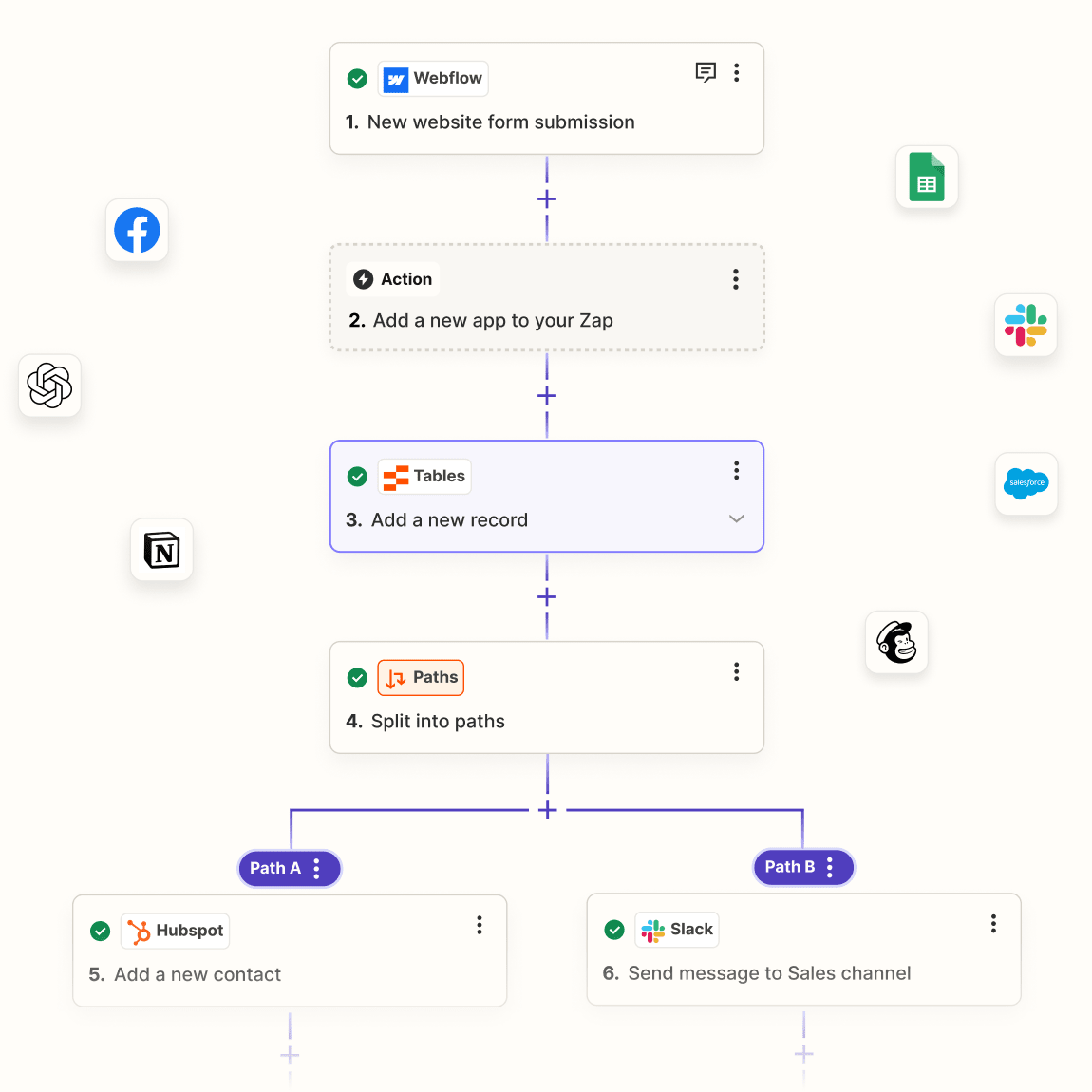
Discover Zapier- Easy Automation for Busy People
In today’s fast-paced digital landscape, efficiency is key to success. Zapier has emerged as a powerful tool that empowers individuals and businesses to automate their workflows across more than 5,000 applications. By connecting different apps and automating repetitive tasks, Zapier allows users to focus on what truly matters—growing their business and enhancing productivity. In this article, we will explore what Zapier is, how it works, its key features, and the benefits it offers to busy professionals.
Understanding Zapier
Zapier is a web-based automation tool that enables users to connect various applications and automate workflows without the need for coding. Founded in 2011, Zapier has grown to become a leading platform for automation, helping millions of users streamline their processes and save time. The platform operates on a simple principle: if something happens in one app, Zapier can trigger an action in another app, allowing for seamless integration and automation.
Key Features of Zapier
Zapier offers a range of features designed to simplify automation and enhance productivity. Here are some of the most notable:
Zaps: A “Zap” is an automated workflow that connects two or more apps. Each Zap consists of a trigger (an event that starts the automation) and one or more actions (the tasks that are performed as a result). For example, a Zap could automatically save email attachments from Gmail to Dropbox.
Multi-Step Zaps: Users can create complex workflows by chaining multiple actions together in a single Zap. This feature allows for more sophisticated automation, such as sending a Slack message, creating a Google Calendar event, and updating a CRM record all at once.
Filters: Zapier allows users to set filters that determine when a Zap should run. This feature ensures that actions are only triggered under specific conditions, providing greater control over automation.
Customizable Templates: Zapier offers a library of pre-built templates that users can customize to fit their needs. These templates cover a wide range of use cases, making it easy for users to get started with automation.
App Integrations: With support for over 5,000 apps, Zapier enables users to connect their favorite tools and services. This extensive integration library includes popular applications like Google Workspace, Slack, Trello, Mailchimp, and many more.
User-Friendly Interface: Zapier’s intuitive interface makes it easy for users to create and manage Zaps without any technical expertise. The platform guides users through the setup process, ensuring a smooth experience.
How Zapier Works
To fully appreciate the capabilities of Zapier, it’s essential to understand how it operates. The platform is designed to streamline automation through a series of straightforward steps.
Step 1: Sign Up for an Account
Getting started with Zapier is simple. Users can sign up for a free account on the Zapier website. The free plan allows users to create basic Zaps and explore the platform’s features.
Step 2: Choose Your Apps
Once registered, users can select the apps they want to connect. Zapier supports a vast array of applications, so users can choose the tools that best fit their workflow.
Step 3: Create a Zap
To create a Zap, users need to define a trigger and one or more actions. For example, a user might set up a Zap that triggers when a new lead is added to a CRM and automatically sends a welcome email via Mailchimp.
Step 4: Customize Your Workflow
Users can customize their Zaps by adding filters, delays, and additional actions. This flexibility allows for tailored automation that meets specific business needs.
Step 5: Test Your Zap
Before activating a Zap, users can test it to ensure that it works as intended. This testing phase is crucial for identifying any issues and ensuring a smooth automation process.
Step 6: Activate Your Zap
Once the Zap is tested and ready, users can activate it. From this point on, the automation will run in the background, saving users time and effort.
Benefits of Using Zapier
The advantages of using Zapier extend beyond just automation. Here are some key benefits that busy professionals can expect:
Increased Efficiency
By automating repetitive tasks, Zapier allows users to focus on higher-value activities. This increased efficiency can lead to significant time savings and improved productivity.
Enhanced Accuracy
Automation reduces the risk of human error, ensuring that tasks are completed accurately and consistently. This accuracy is particularly important for data entry and other repetitive processes.
Seamless Integration
Zapier’s extensive app integration library allows users to connect their favorite tools and services effortlessly. This seamless integration enhances collaboration and ensures that data flows smoothly between applications.
Scalability
As businesses grow, so do their workflows. Zapier’s automation capabilities can scale with a business, allowing teams to manage increasing workloads without sacrificing efficiency.
Cost-Effective Solution
Zapier offers a range of pricing plans, including a free tier, making it accessible for individuals and small businesses. By automating tasks, users can save on labor costs and allocate resources more effectively.
Use Cases for Zapier
Zapier is versatile and can be applied across various industries and functions. Here are some common use cases:
Marketing Automation
Marketers can use Zapier to automate tasks such as adding new leads to a mailing list, sending follow-up emails, and tracking campaign performance. This automation allows marketing teams to focus on strategy and creativity rather than manual tasks.
Sales and CRM
Sales teams can leverage Zapier to streamline their workflows by automatically adding new leads from web forms to their CRM, sending notifications to team members, and updating records. This automation enhances lead management and improves response times.
Project Management
Project managers can use Zapier to automate task assignments, update project statuses, and send reminders. By integrating project management tools with communication platforms, teams can stay aligned and informed.
E-commerce
E-commerce businesses can benefit from Zapier by automating order processing, inventory management, and customer communication. For example, a Zap could automatically send a confirmation email to customers when they place an order.
Customer Support
Customer support teams can use Zapier to automate ticket creation, send follow-up surveys, and update customer records. This automation helps improve response times and enhances the overall customer experience.
Getting Started with Zapier
If you’re ready to streamline your workflows and enhance your productivity with Zapier, getting started is easy. Here’s a step-by-step guide:
Sign Up for an Account: Visit the Zapier website and create a free account to explore the platform’s features.
Choose Your Apps: Select the applications you want to connect and automate. Browse the extensive library of supported apps to find the tools that best fit your needs.
Create Your First Zap: Follow the prompts to set up your first Zap. Define a trigger and one or more actions to automate your workflow.
Customize Your Automation: Add filters, delays, and additional actions to tailor your Zap to your specific requirements.
Test and Activate Your Zap: Test your Zap to ensure it works as intended, then activate it to start automating your tasks.
Frequently Asked Questions
What is Zapier?
Zapier is a web-based automation tool that allows users to connect over 5,000 applications and automate workflows without coding.
Is Zapier free to use?
Zapier offers a free plan that allows users to create basic Zaps. Paid plans are available for users who need more advanced features and higher task limits.
How does Zapier work?
Zapier works by creating automated workflows called “Zaps,” which consist of triggers and actions. When a trigger event occurs in one app, Zapier performs the specified actions in another app.
Can I use Zapier for team collaboration?
Yes, Zapier can enhance team collaboration by automating tasks and ensuring that team members are notified of important updates and changes.
What types of apps can I connect with Zapier?
Zapier supports over 5,000 applications, including popular tools like Google Workspace, Slack, Trello, Mailchimp, and many more.
Final Thoughts
Zapier is transforming the way busy professionals automate their workflows and manage tasks. By connecting over 5,000 applications and providing a user-friendly interface, Zapier empowers users to streamline their processes and focus on what truly matters. If you’re looking for a solution to enhance your productivity and automate repetitive tasks, Zapier is the tool you need.
