
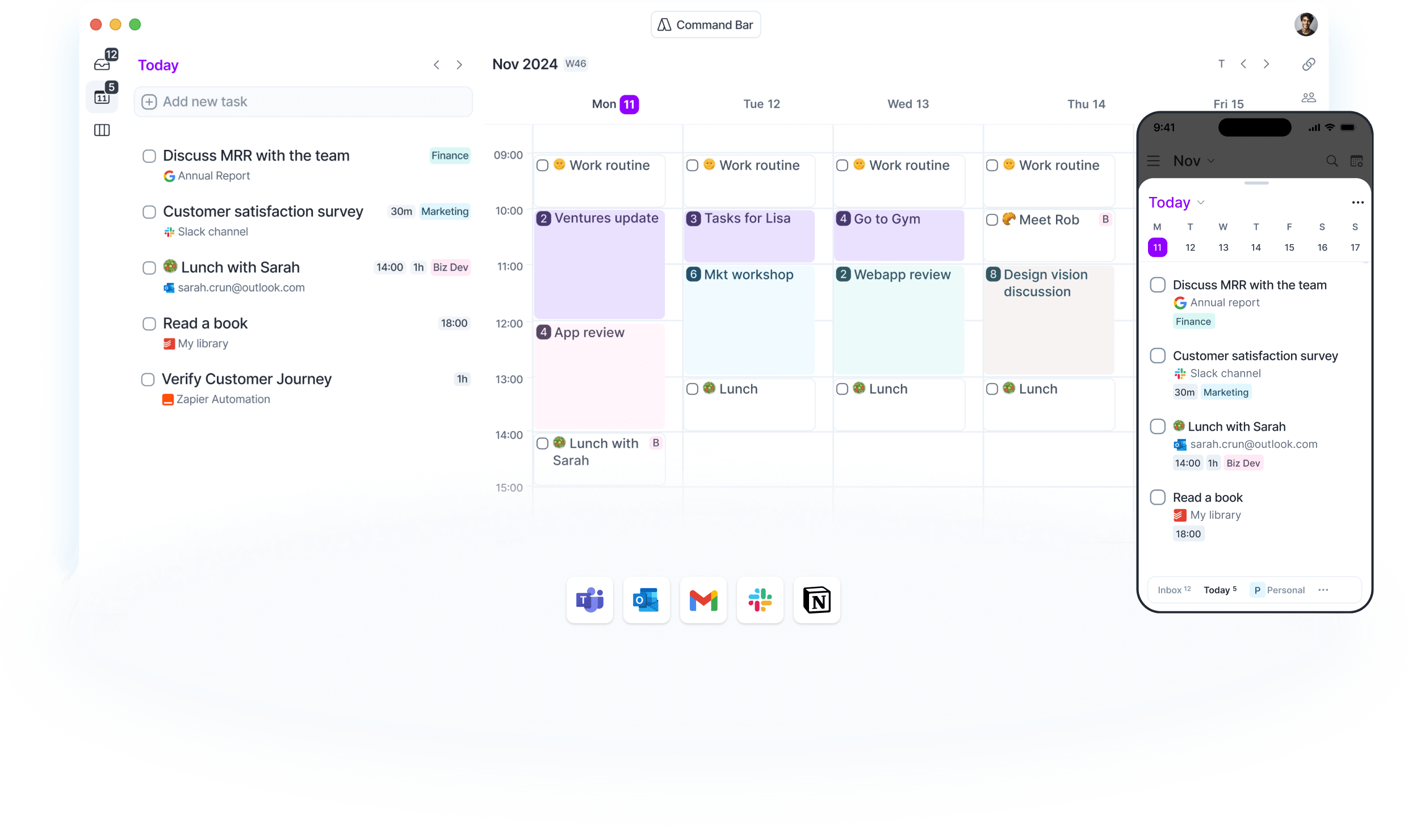
What is Akiflow? Ultimate Task & Calendar Management Platform
In today’s digital workspace, managing tasks and calendars across multiple platforms can feel overwhelming. Enter Akiflow – an innovative productivity tool that seamlessly consolidates your tasks and calendars into one powerful interface. Let’s explore how Akiflow is transforming the way professionals organize their work and time.
Understanding Akiflow’s Core Purpose
Akiflow stands out by addressing a common productivity challenge: the scattered nature of our digital workflows. By bringing together tasks and calendars from various sources, it creates a unified command center for your daily planning.
Key Benefits
- Centralized task management
- Automated calendar integration
- Time-blocking capabilities
- Cross-platform synchronization
- Intelligent task importing
The Power of Integration
Supported Platforms
Akiflow connects seamlessly with:
- Google Calendar
- Microsoft Outlook
- Asana
- Trello
- Slack
- And many more
Automatic Import Features
Experience effortless consolidation:
- Email-to-task conversion
- Calendar event syncing
- Project integration
- Note importing
- Meeting scheduling
Explore our integration solutions
Task Management Excellence
Smart Task Organization
Keep everything organized with:
- Priority settings
- Due dates
- Categories
- Tags
- Custom filters
Workflow Automation
Streamline your process through:
- Automated task creation
- Smart scheduling
- Recurring task management
- Priority-based sorting
- Quick capture features
Calendar Management Innovation
Time Blocking Made Simple
Optimize your schedule with:
- Drag-and-drop blocking
- Buffer time settings
- Meeting scheduling
- Focus time allocation
- Break management
Calendar Views
Multiple ways to visualize your time:
- Daily overview
- Weekly planner
- Monthly calendar
- Agenda view
- Custom layouts
Professional Features
Command Center
Access everything quickly:
- Universal search
- Quick commands
- Keyboard shortcuts
- Task templates
- Smart suggestions
Team Collaboration
Work effectively with others:
- Shared calendars
- Task delegation
- Project tracking
- Team updates
- Resource management
Mobile and Desktop Experience
Cross-Platform Access
Stay productive everywhere:
- Web application
- Desktop client
- Mobile apps
- Browser extensions
- Offline capabilities
Synchronization Features
Keep everything updated:
- Real-time syncing
- Conflict resolution
- Change history
- Backup options
- Device synchronization
Advanced Planning Tools
Smart Scheduling
Let Akiflow optimize your day:
- AI-powered suggestions
- Workload balancing
- Priority management
- Energy level matching
- Deadline tracking
Productivity Analytics
Track your effectiveness:
- Time utilization reports
- Task completion rates
- Productivity trends
- Focus metrics
- Goal tracking
Getting Started with Akiflow
Initial Setup
- Create your account
- Connect your calendars
- Import existing tasks
- Set preferences
- Customize your workspace
Best Practices
Maximize your efficiency:
- Regular task review
- Time block planning
- Integration optimization
- Template creation
- Priority management
Security and Privacy
Data Protection
Your information stays safe with:
- End-to-end encryption
- Secure authentication
- Regular backups
- Privacy controls
- Access management
Compliance Features
Meet professional standards:
- GDPR compliance
- Data portability
- Export options
- Audit trails
- Security logs
Common Questions About Akiflow
Is Akiflow difficult to set up? No, Akiflow offers a straightforward setup process with guided integration steps.
Can I import existing tasks and calendars? Yes, Akiflow automatically imports your existing tasks and calendars from connected platforms.
Does it work offline? Yes, Akiflow provides offline functionality with synchronization when connected.
How secure is my data? Akiflow implements enterprise-grade security measures to protect your information.
Maximizing Your Akiflow Experience
Power User Tips
- Use keyboard shortcuts
- Create task templates
- Implement time blocking
- Regular calendar review
- Optimize integrations
Workflow Optimization
- Morning planning sessions
- Evening review routine
- Priority-based scheduling
- Focus time blocks
- Regular maintenance
Transform Your Productivity Today
Ready to streamline your task and calendar management? Akiflow provides the tools you need to take control of your time and boost productivity.
