
What is WebARX? Simplify Website Security for Digital Agencies
In today’s digital-first world, websites are the lifeblood of businesses, agencies, and online creators. However, with the increasing sophistication of cyberattacks, ensuring the security of your web applications has become more critical than ever. This is where WebARX steps in—a comprehensive web application security platform designed specifically for digital agencies. But what is WebARX, and how does it help secure and monitor websites? Let’s explore how this powerful platform can protect your digital assets and streamline your security efforts.
Understanding WebARX’s Mission
WebARX is a web application security platform that provides digital agencies with the tools they need to secure, monitor, and manage multiple websites from a single dashboard. Whether you’re working with WordPress, Magento, PHP, or other platforms, WebARX offers a unified solution to protect against vulnerabilities, malware, and other cyber threats.
The platform is designed to simplify website security for agencies managing multiple clients. With WebARX, you can proactively secure your websites, monitor their health, and respond to threats in real-time—all while saving time and resources. Its mission is to make web application security accessible, efficient, and effective for agencies of all sizes.
Key Features of WebARX
WebARX stands out in the crowded cybersecurity market thanks to its robust feature set. Here’s a closer look at what makes WebARX an essential tool for digital agencies:
1. Website Firewall
At the core of WebARX’s platform is its powerful website firewall, which protects against a wide range of threats, including:
- SQL Injection: Prevents attackers from exploiting database vulnerabilities.
- Cross-Site Scripting (XSS): Blocks malicious scripts that can compromise user data.
- Brute Force Attacks: Limits login attempts to prevent unauthorized access.
- Zero-Day Exploits: Provides proactive protection against newly discovered vulnerabilities.
The firewall is fully customizable, allowing you to tailor its rules to meet the specific needs of your websites.
2. Vulnerability Monitoring and Patching
WebARX continuously monitors your websites for vulnerabilities and provides actionable insights to address them. Key features include:
- Real-Time Alerts: Get notified immediately when vulnerabilities are detected.
- Virtual Patching: Apply security patches directly through the WebARX dashboard without waiting for official updates.
- CMS-Specific Protection: Protect popular platforms like WordPress and Magento from known vulnerabilities.
This proactive approach ensures that your websites remain secure, even as new threats emerge.
3. Centralized Website Management
Managing security for multiple websites can be a daunting task, especially for agencies with a large client base. WebARX simplifies this process with:
- Unified Dashboard: Monitor and manage all your websites from a single interface.
- Health Monitoring: Track uptime, performance, and security metrics for each website.
- Automated Backups: Schedule regular backups to ensure your data is safe and recoverable.
This centralized approach saves time and allows you to focus on growing your business rather than managing security manually.
4. Malware Scanning and Removal
WebARX includes advanced malware scanning tools that detect and remove malicious code from your websites. Features include:
- Deep Scanning: Analyze files, databases, and plugins for hidden malware.
- Automatic Cleanup: Remove malware with a single click.
- Blacklist Monitoring: Ensure your websites are not flagged by search engines or security services.
These tools help you maintain the integrity of your websites and protect your reputation.
5. Custom Security Policies
Every website is unique, and WebARX allows you to create custom security policies tailored to your specific needs. This includes:
- Setting custom firewall rules.
- Defining access controls for different user roles.
- Configuring alerts and notifications based on your preferences.
This flexibility ensures that your security measures align with your business goals.
6. Developer-Friendly Tools
WebARX is designed with developers in mind, offering features that make it easy to integrate security into your workflows. These include:
- API Access: Automate security tasks and integrate WebARX with your existing tools.
- Customizable Webhooks: Receive real-time updates and alerts in your preferred communication channels.
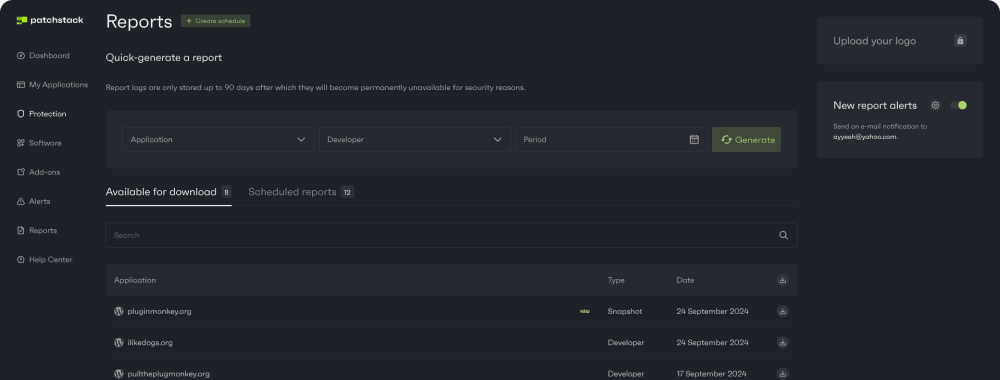
- Detailed Reporting: Generate comprehensive security reports for your clients.
These tools make WebARX a valuable asset for agencies looking to streamline their security processes.
How Does WebARX Work?
WebARX simplifies website security with its intuitive workflow. Here’s how it works:
- Install the Plugin: Add the WebARX plugin to your website and connect it to the WebARX dashboard.
- Configure the Firewall: Customize the firewall rules to meet your specific security needs.
- Monitor and Protect: Use the dashboard to monitor your websites, detect vulnerabilities, and respond to threats in real-time.
- Automate Security Tasks: Schedule backups, apply virtual patches, and generate reports with just a few clicks.
This streamlined process ensures that your websites remain secure without requiring extensive technical expertise.
Why Choose WebARX?
WebARX offers several advantages over traditional website security solutions. Here’s why it’s the ideal choice for digital agencies:
- Comprehensive Protection: Secure your websites against a wide range of threats, from malware to zero-day vulnerabilities.
- Ease of Use: Manage all your websites from a single dashboard, saving time and effort.
- Proactive Security: Stay ahead of potential threats with real-time monitoring and virtual patching.
- Cost-Effective: Reduce the need for multiple security tools and services.
- Scalable Solution: Protect websites of all sizes, from small blogs to large e-commerce platforms.
Real-World Use Cases for WebARX
WebARX’s versatility makes it suitable for a wide range of applications. Here are some examples of how digital agencies use WebARX:
- WordPress Agencies: Protect client websites from common WordPress vulnerabilities and ensure compliance with security best practices.
- E-Commerce Platforms: Safeguard online stores from data breaches and ensure a secure shopping experience for customers.
- Freelance Developers: Manage security for multiple client websites without the need for additional tools or resources.
- Marketing Agencies: Monitor website performance and uptime while ensuring robust security measures are in place.
Frequently Asked Questions About WebARX
Is WebARX suitable for non-technical users?
Yes, WebARX is designed to be user-friendly and accessible to users of all technical skill levels. Its intuitive dashboard and automated features make it easy to secure and monitor websites.
How much does WebARX cost?
WebARX offers flexible pricing plans to suit different needs. You can start with a 7-day free trial to explore its features before committing to a subscription.
Can WebARX protect multiple websites?
Absolutely. WebARX is specifically designed for agencies and developers managing multiple websites. Its centralized dashboard allows you to monitor and secure all your websites from one place.
Does WebARX support platforms other than WordPress?
Yes, WebARX supports a wide range of platforms, including Magento, PHP-based websites, and custom web applications.
Secure Your Websites with WebARX
WebARX is more than just a security tool—it’s a comprehensive platform that empowers digital agencies to protect their websites with ease and efficiency. By combining advanced security features with a user-friendly interface, WebARX helps you stay ahead of potential threats and focus on what matters most: growing your business.
