
What is Sessions? Redefining Hybrid Communication for Teams
In an era where remote work and hybrid communication have become the norm, finding effective tools to facilitate collaboration is essential. Sessions has emerged as a leading solution, recently winning the Product of the Year award in the “Work from Anywhere” category. With its innovative features and newly launched Affiliate Program, Sessions is transforming how teams communicate and collaborate. Let’s explore what Sessions offers and how it can enhance your hybrid work experience.
Understanding Sessions
Sessions is a comprehensive platform designed to streamline hybrid communication by integrating various collaboration tools into a single interface. This all-in-one solution allows teams to manage meetings, projects, and workflows efficiently, ensuring that every session is organized and productive.
Key Features of Sessions
Unified Collaboration Tools: Sessions brings together essential tools for communication, project management, and scheduling, eliminating the need for multiple applications.
Unique Agenda Designer: One of the standout features of Sessions is its agenda designer, which allows users to create structured agendas for meetings and sessions. This ensures that discussions stay on track and that all participants are prepared.
Flexible Session Formats: Whether you’re hosting a brainstorming session, a team meeting, or a client presentation, Sessions accommodates various formats, making it suitable for any type of collaboration.
Real-Time Collaboration: Sessions enables real-time collaboration, allowing team members to share ideas, documents, and feedback instantly, regardless of their location.
Analytics and Reporting: The platform provides insights into session performance, helping teams understand engagement levels and areas for improvement.
Getting Started with Sessions
Integrating Sessions into your workflow is straightforward. Here’s how to get started:
Step 1: Sign Up for an Account
Visit the Sessions website and create an account. The sign-up process is quick and user-friendly, allowing you to get started in no time.
Step 2: Explore the Dashboard
Once logged in, familiarize yourself with the dashboard. The intuitive interface makes it easy to navigate through various features and tools.
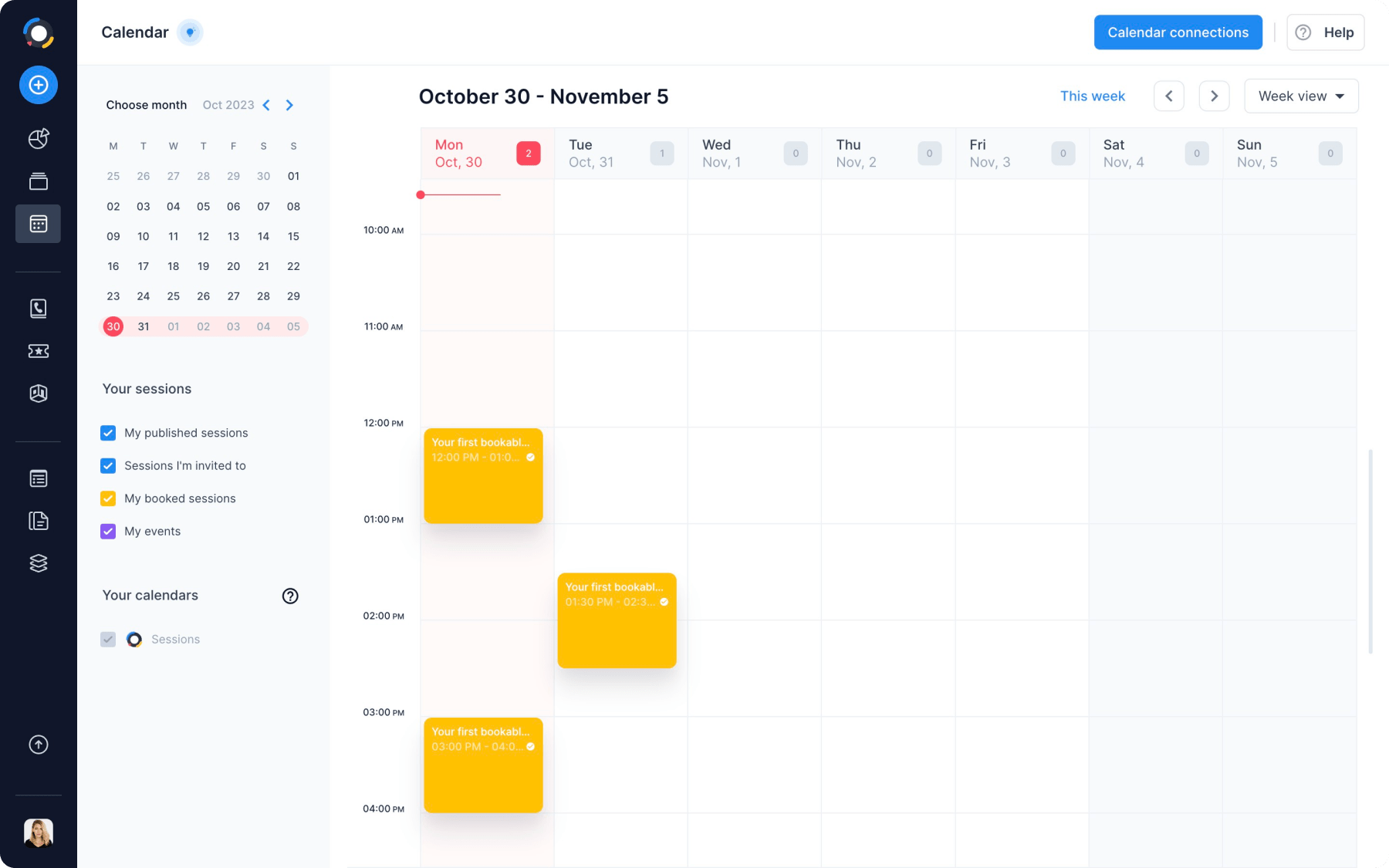
Step 3: Create Your First Session
To create a session, use the agenda designer to outline your meeting objectives, topics, and participants. This structured approach ensures that everyone is on the same page.
Step 4: Invite Participants
Send out invitations to your team members or clients. Sessions allows you to manage participant access and permissions, ensuring a secure and organized environment.
Step 5: Conduct Your Session
During the session, utilize the platform’s collaboration tools to share documents, take notes, and engage with participants. The real-time features enhance interaction and productivity.
Advantages of Using Sessions
Sessions offers several advantages that make it an attractive choice for teams looking to improve their hybrid communication:
Enhanced Organization
With the unique agenda designer, Sessions ensures that every meeting is well-structured and focused. This organization minimizes distractions and maximizes productivity.
Improved Collaboration
By bringing all collaboration tools into one platform, Sessions fosters better communication among team members. The ability to share ideas and feedback in real-time enhances teamwork and creativity.
Flexibility and Scalability
Sessions is designed to accommodate teams of all sizes, making it suitable for startups, small businesses, and large enterprises. The platform’s flexibility allows it to adapt to various workflows and collaboration styles.
Valuable Insights
The analytics and reporting features provide valuable insights into session performance, helping teams identify trends and areas for improvement. This data-driven approach enhances decision-making and strategic planning.
Use Cases for Sessions
The versatility of Sessions makes it suitable for various applications across different industries. Here are some common use cases:
Remote Team Meetings
Sessions is ideal for remote teams looking to streamline their meetings. The platform’s organization features ensure that discussions are productive and focused.
Client Presentations
For businesses that frequently present to clients, Sessions provides a professional environment to showcase ideas and proposals. The agenda designer helps structure presentations for maximum impact.
Workshops and Training Sessions
Educators and trainers can use Sessions to conduct workshops and training sessions. The platform’s interactive features facilitate engagement and learning.
Project Management
Teams can leverage Sessions for project management, using the platform to plan, execute, and review projects collaboratively. The real-time collaboration tools enhance communication and accountability.
Technical Considerations
When implementing Sessions, it’s essential to consider several technical aspects to ensure optimal performance:
System Requirements
Sessions is a web-based platform, making it accessible from any device with an internet connection. For the best experience, ensure that your browser is up to date.
Security Measures
Security is a top priority for Sessions. The platform incorporates several security features, including:
- Data Encryption: All data transmitted through Sessions is encrypted to protect user privacy.
- Access Controls: Administrators can manage participant access and permissions, ensuring that sensitive information remains secure.
Best Practices for Using Sessions
To maximize your experience with Sessions, consider the following best practices:
Plan Ahead
Before each session, take the time to plan your agenda and objectives. This preparation will help keep discussions focused and productive.
Encourage Participation
Foster an inclusive environment by encouraging all participants to share their ideas and feedback. Use interactive features to engage team members and promote collaboration.
Monitor Engagement
Keep an eye on participant engagement levels during sessions. If you notice a drop in interaction, consider introducing new activities or changing the format to re-energize the group.
Frequently Asked Questions
Q: What makes Sessions different from other collaboration tools?
A: Sessions stands out due to its unique agenda designer and the ability to integrate various collaboration tools into a single platform, enhancing organization and productivity.
Q: Can I customize my sessions in Sessions?
A: Yes, Sessions allows for extensive customization, enabling users to create tailored agendas and session formats that suit their needs.
Q: Is Sessions suitable for large organizations?
A: Absolutely! Sessions is designed to accommodate teams of all sizes, making it ideal for both small businesses and large enterprises.
Join the Sessions Affiliate Program
In addition to its powerful features, Sessions has recently launched its Affiliate Program, allowing users to earn 40% per paid sign-up for life. This program is an excellent opportunity for bloggers, content creators, and marketing professionals to monetize their audience while promoting a valuable tool for hybrid communication.
To join the affiliate program, visit Sessions Affiliate Programand start earning today!
Embracing the Future of Hybrid Communication
As the workplace continues to evolve, tools like Sessions are redefining how teams collaborate and communicate. By integrating all your collaboration tools into one platform, Sessions enhances productivity and fosters authentic connections among team members.
