
What is Resend? Build, Test, and Send Transactional Emails at Scale
In today’s fast-paced digital world, email communication remains one of the most effective ways to connect with users. Whether it’s a welcome email, a password reset, or a purchase confirmation, transactional emails play a critical role in ensuring seamless communication between businesses and their customers. But how do you ensure these emails are delivered reliably, land in inboxes instead of spam folders, and are easy to manage at scale? That’s where Resend comes in.
Resend is a modern platform designed to help developers build, test, and send transactional emails at scale. With a focus on providing the best developer experience, Resend ensures your emails reach users’ inboxes, not their spam folders. Let’s explore how Resend works, its key features, and why it’s a game-changer for businesses looking to optimize their email communication.
Why Transactional Emails Matter
Transactional emails are automated messages triggered by user actions. Unlike marketing emails, which are often promotional, transactional emails provide essential information that users expect to receive. Examples include:
- Account creation confirmations
- Password reset instructions
- Order confirmations and shipping updates
- Subscription renewals or cancellations
- Security alerts and notifications
These emails are critical for maintaining trust and engagement with your users. However, ensuring their timely delivery and avoiding spam filters can be challenging, especially as your business scales. This is where Resend’s innovative approach makes a difference.
The Challenges of Sending Transactional Emails
Before diving into Resend’s features, it’s important to understand the common challenges businesses face when managing transactional emails:
Deliverability Issues
Many transactional emails fail to reach users’ inboxes due to spam filters, poor domain reputation, or misconfigured email servers.Scalability
As your user base grows, so does the volume of emails you need to send. Managing this at scale requires robust infrastructure and expertise.Developer Experience
Traditional email solutions often involve complex setups, outdated APIs, and limited customization options, making them frustrating for developers.Testing and Debugging
Ensuring your emails look and function as intended across different devices and email clients can be time-consuming and error-prone.
Resend addresses these challenges head-on, offering a streamlined solution that prioritizes deliverability, scalability, and ease of use.
What Makes Resend Unique?
Resend stands out from other email platforms by focusing on simplicity, reliability, and developer-first design. Here’s what sets it apart:
1. Developer-Friendly API
Resend provides a clean, modern API that makes it easy for developers to integrate email functionality into their applications. Whether you’re building a SaaS platform, an e-commerce site, or a mobile app, Resend’s API allows you to send transactional emails with just a few lines of code.
2. Built for Scalability
Resend is designed to handle high volumes of emails without compromising performance. Whether you’re sending hundreds or millions of emails, Resend’s infrastructure ensures reliable delivery at scale.
3. Focus on Deliverability
With Resend, you don’t have to worry about your emails ending up in spam folders. The platform uses advanced deliverability techniques, including domain authentication (SPF, DKIM, and DMARC), to maximize inbox placement.
4. Real-Time Testing and Debugging
Resend makes it easy to test and debug your emails before sending them to users. You can preview your emails, check for errors, and ensure they render correctly across different devices and email clients.
5. Customizable Templates
Resend offers a range of customizable email templates, allowing you to create professional, on-brand emails without the need for extensive design or coding skills.
How to Get Started with Resend
Getting started with Resend is quick and straightforward. Here’s a step-by-step guide:
Sign Up for an Account
Visit Resend’s websiteto create an account. The platform offers a free trial, so you can explore its features without any upfront commitment.Set Up Your Domain
To ensure optimal deliverability, configure your domain with SPF, DKIM, and DMARC records. Resend provides detailed instructions to guide you through this process.Integrate the API
Use Resend’s API to integrate email functionality into your application. The platform provides comprehensive documentation and code examples to help you get started.Create and Test Your Emails
Design your emails using Resend’s templates or your own HTML. Test them in real-time to ensure they look and function as intended.Start Sending Emails
Once everything is set up, you can start sending transactional emails to your users with confidence.
Use Cases for Resend
Resend is a versatile platform that can be used across a wide range of industries and applications. Here are some common use cases:
- E-Commerce: Send order confirmations, shipping updates, and abandoned cart reminders.
- SaaS Platforms: Deliver account activation emails, password resets, and subscription notifications.
- Healthcare: Send appointment reminders, test results, and billing statements.
- Education: Deliver course enrollment confirmations, progress reports, and certification emails.
No matter your industry, Resend provides the tools you need to build, test, and send transactional emails that drive engagement and build trust with your users.
Why Resend is the Best Choice for Developers
For developers, Resend offers a seamless experience that eliminates the frustrations of traditional email platforms. Here’s why developers love Resend:
- Ease of Integration: Resend’s API is intuitive and well-documented, making it easy to integrate into any application.
- Time-Saving Features: With Resend, you can focus on building your application instead of troubleshooting email issues.
- Reliable Support: Resend’s support team is available to help you resolve any issues and optimize your email setup.
FAQs About Resend
1. What types of emails can I send with Resend?
Resend is designed for transactional emails, such as account confirmations, password resets, and order updates. It’s not intended for bulk marketing emails.
2. Does Resend offer analytics?
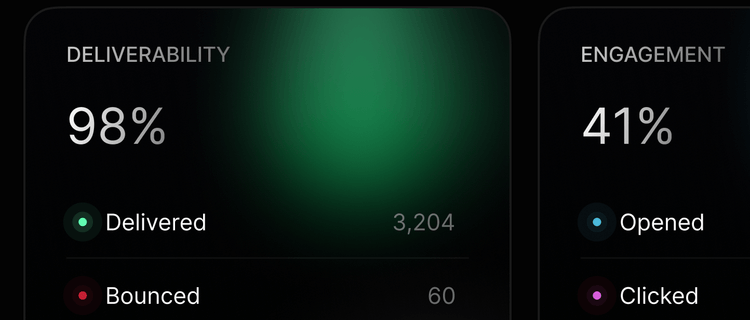
Yes, Resend provides detailed analytics to help you track email performance, including delivery rates, open rates, and click-through rates.
3. Is Resend suitable for small businesses?
Absolutely. Resend is scalable, making it a great choice for businesses of all sizes, from startups to enterprises.
4. How does Resend ensure deliverability?
Resend uses advanced deliverability techniques, including domain authentication and spam filter testing, to maximize inbox placement.
Ready to Transform Your Email Communication?
Resend is the ultimate solution for building, testing, and sending transactional emails at scale. Whether you’re a developer looking for a seamless integration experience or a business owner focused on deliverability, Resend has you covered. Don’t let your emails get lost in spam folders—start using Resend today and experience the difference.
