
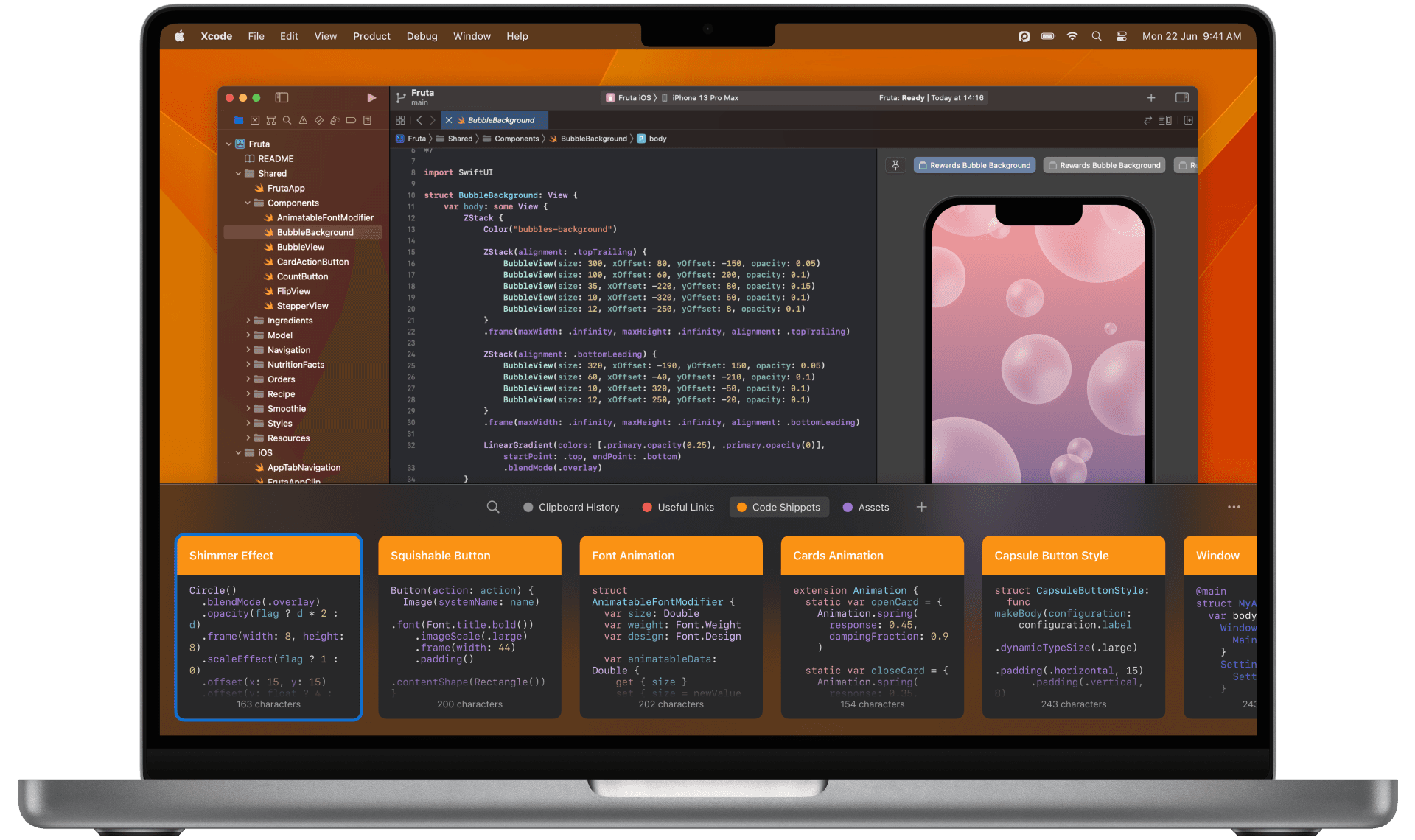
Paste- Never Lose Your Clipboard History Again | Complete Clipboard Manager Guide 2024
Introduction
Have you ever lost that perfect quote, code snippet, or important text you just copied? The standard clipboard’s single-entry limitation can be frustrating and time-consuming. Enter Paste, your intelligent clipboard time machine that revolutionizes how you manage copied content across all your devices.
What is Paste?
Core Concept
Paste is a sophisticated clipboard manager that:
- Automatically saves everything you copy
- Provides instant search capabilities
- Maintains formatting across devices
- Offers intelligent organization features
Key Features Overview
The platform excels with:
- Unlimited clipboard history
- Real-time syncing
- Smart content organization
- Powerful search functionality
How Paste Works
Core Functionality
Automatic Tracking
- Silent background operation
- Instant content saving
- Format preservation
- Multi-device sync
Content Management
- Smart categorization
- Instant retrieval
- Version history
- Backup systems
Supported Content Types
Paste handles various formats:
- Text and rich text
- Images and screenshots
- File references
- Code snippets with syntax
- Formatted tables
- URLs and links
Key Features Deep Dive
Search and Retrieval
Master content finding with:
Quick Search
- Instant results
- Content preview
- Historical timeline
- Smart filters
Organization Tools
- Custom collections
- Smart folders
- Tags and labels
- Pinned items
Sharing Capabilities
Collaborate effectively using:
- Team sharing features
- Export options
- Cloud sync
- Security controls
Getting Started with Paste
Installation Guide
System Requirements
- macOS 10.15+
- iOS 13+ for mobile
- 4GB RAM recommended
- iCloud for sync (optional)
Setup Process
- Download from official store
- Install application
- Grant permissions
- Configure preferences
Basic Operations
Master essential functions:
- ⌘ + V for paste
- ⌘ + Shift + V for history
- ⌘ + F for search
- ⌘ + P for pinning
Professional Applications
Use Cases
Content Creation
- Quick access to references
- Image organization
- Text snippets
- Formatting preservation
Programming
- Code snippet management
- Documentation references
- Terminal commands
- Debug logs
Design Work
- Color codes
- Asset management
- Style guides
- Client feedback
Advanced Features
Power User Tools
Maximize efficiency with:
Custom Rules
- Content filters
- Auto-organization
- Smart actions
- Workflow automation
Security Features
- End-to-end encryption
- Private content protection
- Secure sharing
- Access controls
Tips and Best Practices
Optimization Strategies
Organization Methods
- Create logical collections
- Use consistent tagging
- Regular cleanup
- Smart filters
Productivity Hacks
- Keyboard shortcuts
- Quick access methods
- Search operators
- Bulk operations
Frequently Asked Questions (FAQs)
How long does Paste keep my clipboard history?
Paste maintains unlimited history, limited only by your storage space.
Is my copied data secure?
Yes, Paste uses encryption and secure storage methods to protect your data.
Can I sync across multiple devices?
Yes, Paste supports seamless syncing across Mac, iPhone, and iPad devices.
Advanced Usage Tips
Power User Features
Enhance your workflow:
- Regular expressions search
- Custom keyboard shortcuts
- Automation scripts
- Integration with other apps
Performance Optimization
Maintain optimal performance:
- Regular history cleanup
- Storage management
- Sync optimization
- Cache maintenance
Comparison with Traditional Clipboard
Key Advantages
| Feature | Traditional Clipboard | Paste |
|---|---|---|
| History | Single item | Unlimited |
| Search | None | Advanced |
| Organization | None | Complete |
| Sync | Limited | Full |
| Security | Basic | Advanced |
Success Stories
User Testimonials
“Paste has saved me countless hours of work by keeping track of everything I copy. It’s indispensable!” - Sarah K., Content Creator
“As a developer, having access to my clipboard history has been a game-changer.” - Mike R., Software Engineer
Conclusion
Paste transforms clipboard management from a basic utility into a powerful productivity tool. With its intelligent features, secure storage, and seamless sync capabilities, it’s an essential application for professionals who value efficiency and organization.
Take Action Today
Ready to revolutionize your clipboard management?
- Visit Paste’s website
- Download and install
- Start your efficient copying journey
Additional Resources
This comprehensive guide to Paste demonstrates how this powerful tool can transform your clipboard management and boost productivity. Ready to experience the benefits of intelligent clipboard management? Start using Paste today!
Remember to explore all features and customize your setup for optimal results. Your enhanced productivity journey begins here!
