
Discover Kdan Mobile PDF Reader- Your Ultimate Document Productivity Solution
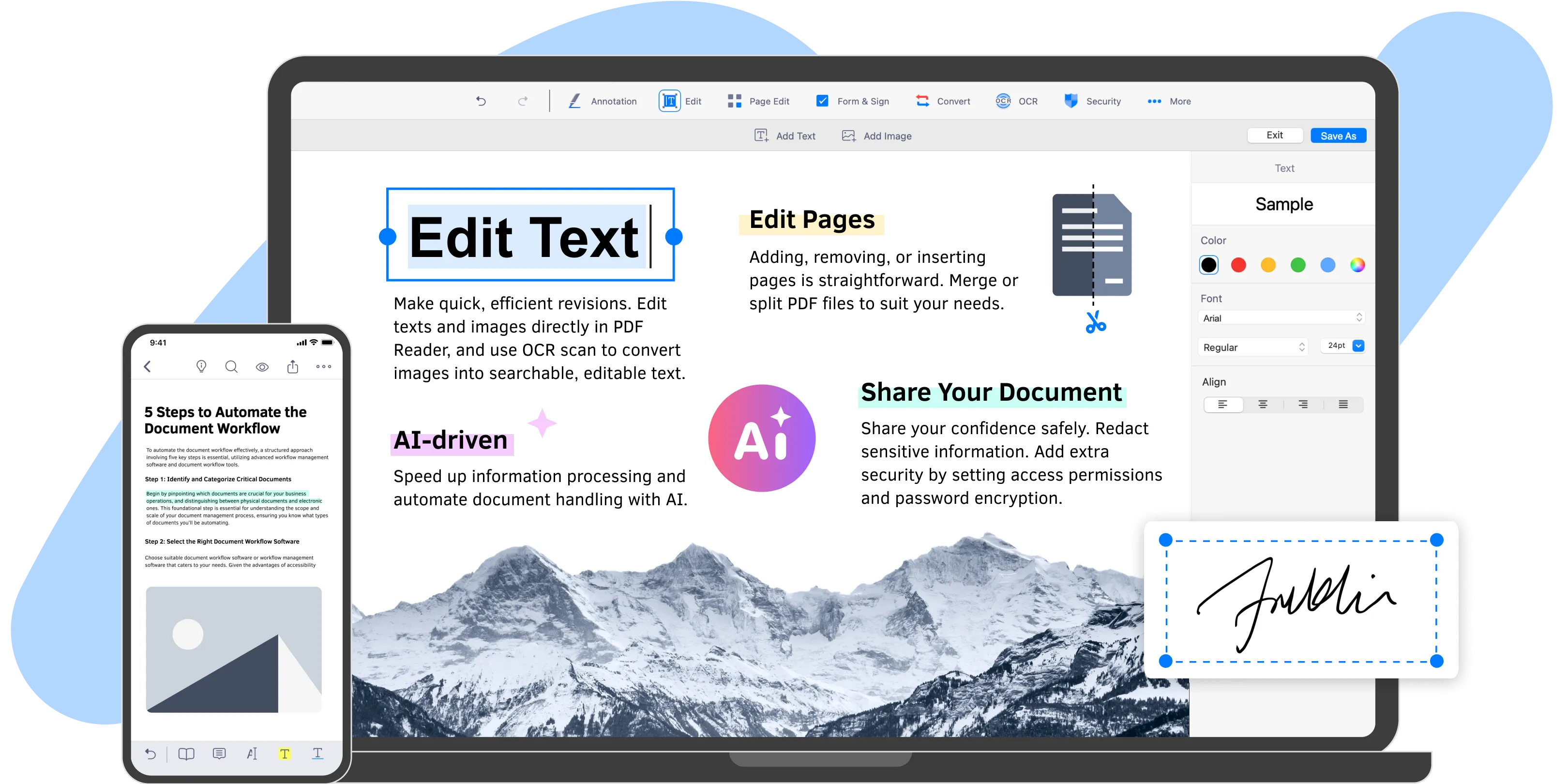
In today’s fast-paced digital world, managing documents efficiently is crucial for both personal and professional success. Kdan Mobile PDF Reader stands out as a comprehensive document productivity solution designed to enhance your workflow. With its robust features, this PDF reader allows users to view, annotate, combine, organize, and sign PDF forms with ease. Whether you’re a student, a business professional, or someone who frequently handles documents, Kdan Mobile PDF Reader optimizes your work quality and simplifies your document management tasks. This article explores the features, benefits, and practical applications of Kdan Mobile PDF Reader, demonstrating how it can transform the way you interact with PDF documents.
The Importance of a Reliable PDF Reader
PDF (Portable Document Format) has become the standard for sharing and viewing documents across various platforms. Its versatility and compatibility make it a preferred choice for businesses, educational institutions, and individuals alike. However, not all PDF readers are created equal. A reliable PDF reader should offer more than just basic viewing capabilities; it should provide tools that enhance productivity and streamline workflows.
Common Challenges with PDF Management
Many users encounter challenges when managing PDF documents, such as:
- Limited Annotation Tools: Basic PDF readers often lack advanced annotation features, making it difficult to highlight, comment, or mark up documents effectively.
- Inefficient Document Organization: Users may struggle to keep their PDF files organized, leading to wasted time searching for important documents.
- Complicated Signing Processes: Signing PDF forms can be cumbersome without the right tools, often requiring printing, signing, and scanning.
Kdan Mobile PDF Reader addresses these challenges by offering a comprehensive suite of features designed to enhance document management and improve productivity.
Key Features of Kdan Mobile PDF Reader
Kdan Mobile PDF Reader is packed with features that cater to a wide range of document management needs. Here’s a closer look at its key functionalities:
1. Comprehensive PDF Viewing
Kdan Mobile PDF Reader provides a seamless viewing experience, allowing users to open and read PDF documents effortlessly. Key aspects include:
- Smooth Navigation: Users can easily scroll through pages, zoom in and out, and navigate using bookmarks for quick access to specific sections.
- Multiple Viewing Modes: The app offers various viewing modes, including single-page and continuous scrolling, to suit individual preferences.
2. Advanced Annotation Tools
One of the standout features of Kdan Mobile PDF Reader is its robust annotation capabilities. Users can:
- Highlight and Underline: Emphasize important text by highlighting or underlining key points within the document.
- Add Comments and Notes: Insert comments or sticky notes to provide additional context or feedback on specific sections.
- Draw and Sketch: Use drawing tools to create freehand annotations, making it easy to illustrate ideas or concepts directly on the document.
3. Document Organization
Kdan Mobile PDF Reader helps users keep their documents organized, making it easier to manage files efficiently. Features include:
- Folder Management: Users can create folders to categorize their PDF documents, ensuring easy access and retrieval.
- Search Functionality: The built-in search feature allows users to quickly locate specific documents or keywords within their files.
4. PDF Merging and Splitting
Combining multiple PDF files into a single document or splitting a large PDF into smaller sections is a breeze with Kdan Mobile PDF Reader. This functionality is particularly useful for:
- Creating Comprehensive Reports: Merge various documents into one cohesive report for presentations or submissions.
- Extracting Specific Pages: Split large PDFs to extract only the necessary pages, reducing clutter and improving focus.
5. E-Signature Capabilities
Signing documents electronically has never been easier. Kdan Mobile PDF Reader allows users to:
- Create Digital Signatures: Users can create and save their digital signatures for quick application to any PDF document.
- Sign Forms Instantly: With just a few taps, users can sign PDF forms without the need for printing or scanning, streamlining the signing process.
6. Cloud Integration
Kdan Mobile PDF Reader supports integration with various cloud storage services, enabling users to:
- Access Documents Anywhere: Sync documents across devices and access them from anywhere with an internet connection.
- Share Files Easily: Share documents directly from the app via email or cloud services, facilitating collaboration and communication.
7. Cross-Platform Compatibility
Kdan Mobile PDF Reader is available on multiple platforms, including iOS, Android, and Windows. This cross-platform compatibility ensures that users can access their documents and annotations regardless of the device they are using.
Benefits of Using Kdan Mobile PDF Reader
The advantages of using Kdan Mobile PDF Reader extend beyond its features. Here are some key benefits that make it a valuable tool for anyone who regularly interacts with PDF documents:
Enhanced Productivity
By providing a comprehensive suite of tools for viewing, annotating, and managing PDF documents, Kdan Mobile PDF Reader significantly enhances productivity. Users can complete tasks more efficiently, allowing them to focus on what truly matters.
Improved Collaboration
The ability to annotate, comment, and share documents easily fosters collaboration among team members. Whether working on a group project or reviewing a proposal, Kdan Mobile PDF Reader streamlines communication and feedback.
Greater Flexibility
With its cloud integration and cross-platform compatibility, Kdan Mobile PDF Reader offers users the flexibility to access and manage their documents from anywhere. This adaptability is essential in today’s mobile work environment.
Simplified Document Management
Kdan Mobile PDF Reader’s organizational features help users keep their documents in order, reducing the time spent searching for files. This streamlined approach to document management leads to a more efficient workflow.
How to Get Started with Kdan Mobile PDF Reader
Getting started with Kdan Mobile PDF Reader is a straightforward process. Follow these steps to begin optimizing your document management:
Download the App: Visit the Kdan Mobile websiteor your device’s app store to download the PDF Reader app. It is available for iOS, Android, and Windows.
Create an Account: Sign up for a Kdan Mobile account to access premium features and cloud storage options. The app may offer both free and subscription-based plans.
Upload Your Documents: Import your PDF files into the app. You can upload documents from your device or sync them from cloud storage services.
Explore the Features: Familiarize yourself with the app’s features, including annotation tools, document organization, and e-signature capabilities.
Start Managing Your PDFs: Begin viewing, annotating, and organizing your PDF documents. Take advantage of the app’s features to enhance your productivity and streamline your workflow.
Frequently Asked Questions
Is Kdan Mobile PDF Reader free to use?
Kdan Mobile PDF Reader offers a free version with essential features. There are also premium subscription plans available that provide additional functionalities and cloud storage options.
Can I use Kdan Mobile PDF Reader on multiple devices?
Yes, Kdan Mobile PDF Reader is available on various platforms, including iOS, Android, and Windows, allowing you to access your documents from multiple devices.
How does Kdan Mobile PDF Reader compare to other PDF readers?
Kdan Mobile PDF Reader stands out due to its comprehensive feature set, including advanced annotation tools, document organization, and e-signature capabilities. While other PDF readers may offer basic functionalities, Kdan Mobile PDF Reader provides a complete document productivity solution.
Can I sign PDF documents electronically with Kdan Mobile PDF Reader?
Yes, Kdan Mobile PDF Reader allows users to create digital signatures and sign PDF documents electronically, streamlining the signing process.
Is my data secure with Kdan Mobile PDF Reader?
Kdan Mobile takes user privacy and data security seriously. Your documents are processed securely, and you can manage your account settings to control your data.
Optimize Your Document Management with Kdan Mobile PDF Reader
In a world where efficiency and productivity are paramount, Kdan Mobile PDF Reader offers a powerful solution for managing PDF documents. With its robust features and user-friendly interface, this app empowers users to view, annotate, combine, organize, and sign PDF forms with ease.
