
What is Dropbox? The Leading Cloud Storage Solution for Collaboration
With more than 700 million registered users across 180 countries, Dropbox has established itself as a leader in the cloud storage and file-sharing industry. Headquartered in San Francisco, California, Dropbox is on a mission to design a more enlightened way of working, enabling individuals and teams to collaborate seamlessly and access their files from anywhere in the world. In this article, we will explore the history of Dropbox, its key features, benefits, and how it stands out in the competitive landscape of cloud storage solutions.
The Evolution of Dropbox
Founding and Early Days
Dropbox was founded in 2007 by Drew Houston and Arash Ferdowsi while they were students at the Massachusetts Institute of Technology (MIT). The idea for Dropbox came about when Houston forgot his USB flash drive while traveling. Frustrated by the inconvenience, he envisioned a solution that would allow users to access their files from any device with an internet connection.
In 2008, Dropbox launched its beta version, quickly gaining traction among users. The platform’s user-friendly interface and seamless file synchronization made it a hit, and it soon attracted significant attention from investors. By 2011, Dropbox had reached 100 million users, and its growth continued to accelerate.
Growth and Expansion
Over the years, Dropbox has expanded its offerings beyond simple file storage. The company has introduced various features aimed at enhancing collaboration, productivity, and security. Today, Dropbox serves individuals, small businesses, and large enterprises, providing a comprehensive suite of tools designed to meet the diverse needs of its users.
Key Features of Dropbox
Dropbox offers a wide range of features that cater to the needs of modern users. Here are some of the standout functionalities that make Dropbox a preferred choice for cloud storage and collaboration:
1. Cloud Storage
At its core, Dropbox provides secure cloud storage that allows users to store and access files from any device. Users can upload documents, images, videos, and more, ensuring that their important files are always available.
2. File Synchronization
Dropbox automatically synchronizes files across all devices, ensuring that users have the latest version of their documents at all times. This feature eliminates the hassle of manually transferring files and reduces the risk of version control issues.
3. File Sharing
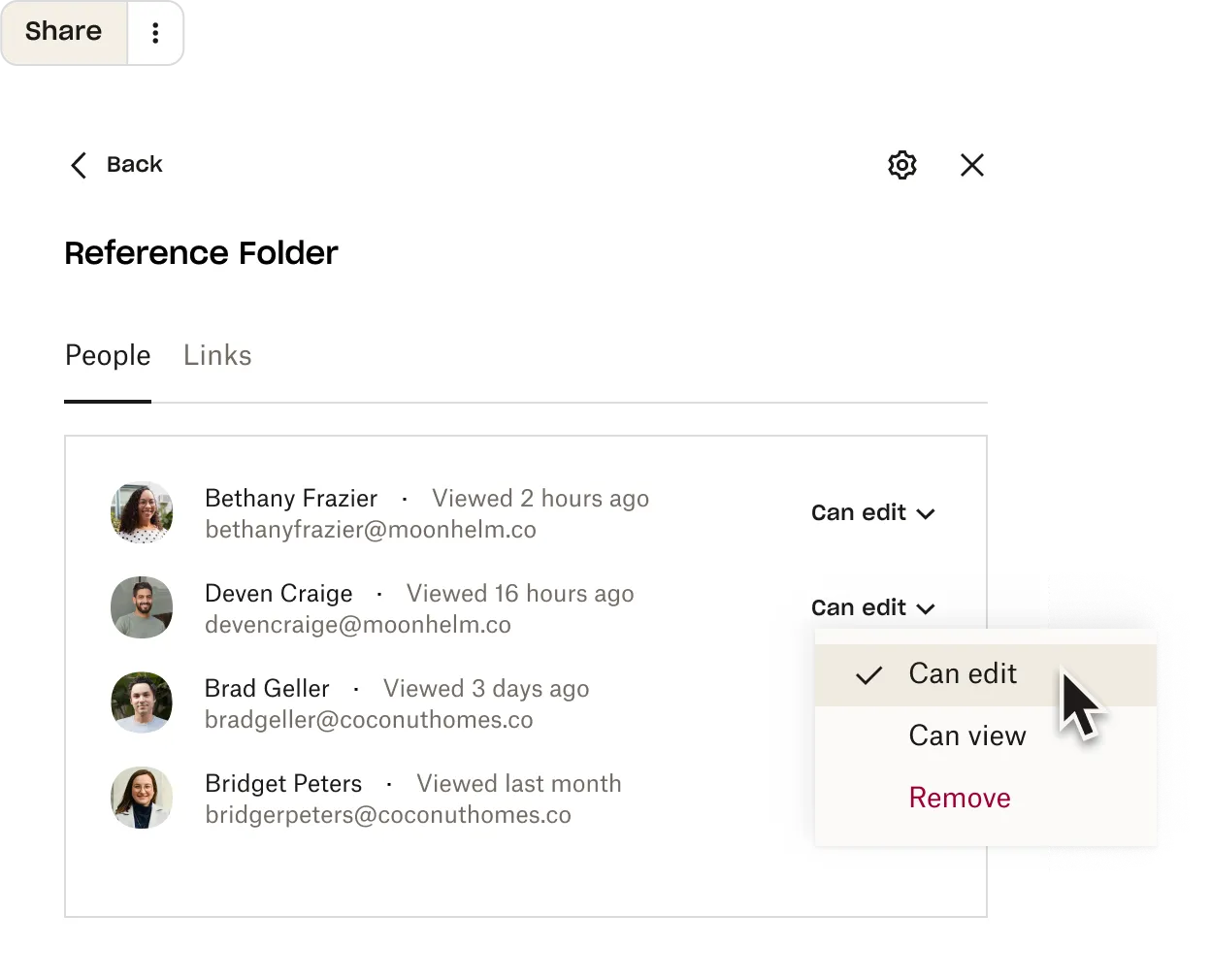
With Dropbox, users can easily share files and folders with others, regardless of whether they have a Dropbox account. Users can generate shareable links, set permissions, and even password-protect shared files for added security.
4. Collaboration Tools
Dropbox offers a suite of collaboration tools that enable teams to work together more effectively. Features like Dropbox Paper allow users to create and edit documents in real-time, while comments and mentions facilitate communication within shared files.
5. Smart Sync
Smart Sync is a unique feature that allows users to see all their files in Dropbox without taking up space on their local hard drive. Users can choose to keep files online-only or download them for offline access, providing flexibility in managing storage space.
6. Advanced Search
Dropbox’s advanced search functionality makes it easy for users to find files quickly. Users can search by file name, type, or even keywords within documents, saving time and improving productivity.
7. Integration with Third-Party Apps
Dropbox integrates seamlessly with a variety of third-party applications, including Microsoft Office, Slack, Zoom, and more. This integration enhances the overall user experience and allows for streamlined workflows.
8. Security Features
Dropbox takes security seriously, offering features such as two-factor authentication, file recovery, and version history. These security measures help protect user data and provide peace of mind.
Benefits of Using Dropbox
1. Accessibility
One of the primary benefits of Dropbox is its accessibility. Users can access their files from any device with an internet connection, whether it’s a computer, tablet, or smartphone. This flexibility is especially valuable for remote workers and teams spread across different locations.
2. User-Friendly Interface
Dropbox is known for its intuitive and user-friendly interface. The platform is designed to be easy to navigate, making it accessible for users of all skill levels. Whether you’re a tech-savvy professional or a casual user, Dropbox provides a seamless experience.
3. Enhanced Collaboration
With its collaboration tools, Dropbox enables teams to work together more effectively. Real-time editing, commenting, and file sharing facilitate communication and streamline workflows, leading to improved productivity.
4. Cost-Effective Solution
Dropbox offers a range of pricing plans to suit different needs, from individual users to large enterprises. With its competitive pricing and robust features, Dropbox provides a cost-effective solution for cloud storage and collaboration.
5. Reliable Backup
By storing files in the cloud, users benefit from reliable backup and recovery options. In the event of data loss or hardware failure, users can easily restore their files from Dropbox, ensuring that important documents are never permanently lost.
How Dropbox Stands Out in the Cloud Storage Landscape
1. Focus on Collaboration
While many cloud storage providers focus solely on file storage, Dropbox places a strong emphasis on collaboration. Its suite of tools is designed to enhance teamwork and communication, making it a preferred choice for businesses and teams.
2. Continuous Innovation
Dropbox is committed to continuous innovation, regularly introducing new features and improvements based on user feedback. This dedication to enhancing the user experience ensures that Dropbox remains relevant in a rapidly changing market.
3. Strong Community and Support
Dropbox has built a strong community of users who share tips, best practices, and insights on using the platform effectively. The official Dropbox blog provides valuable resources, including articles on productivity, collaboration, and file management. Additionally, Dropbox offers customer support to assist users with any questions or issues they may encounter.
Getting Started with Dropbox
1. Sign Up for an Account
To get started with Dropbox, users can sign up for a free account on the official website. The free plan offers a limited amount of storage, making it a great option for individuals looking to try out the platform.
2. Download the Dropbox App
After signing up, users can download the Dropbox app for their devices. The app is available for Windows, macOS, iOS, and Android, allowing users to access their files from anywhere.
3. Upload Files
Once the app is installed, users can start uploading files to their Dropbox account. The drag-and-drop functionality makes it easy to add files, and users can organize their documents into folders for better management.
4. Share and Collaborate
With files uploaded, users can begin sharing and collaborating with others. By generating shareable links and inviting team members to collaborate on documents, users can enhance their productivity and streamline workflows.
Real-World Use Cases for Dropbox
1. Creative Professionals
Creative professionals, such as graphic designers and photographers, can use Dropbox to store and share large files with clients and collaborators. The ability to share high-resolution images and design files seamlessly makes Dropbox an invaluable tool for creative work.
2. Remote Teams
Remote teams can benefit from Dropbox’s collaboration tools, allowing them to work together effectively regardless of their physical location. Features like real-time editing and commenting facilitate communication and ensure that everyone is on the same page.
3. Small Businesses
Small businesses can use Dropbox to manage documents, share files with clients, and collaborate on projects. The platform’s cost-effective pricing and user-friendly interface make it an ideal choice for startups and small teams.
4. Educational Institutions
Educational institutions can leverage Dropbox for file sharing and collaboration among students and faculty. The platform can be used to store course materials, share assignments, and facilitate group projects.
Community and Support
Dropbox has a strong community of users who share tips, best practices, and insights on using the platform effectively. The official Dropbox blog provides valuable resources, including articles on productivity, collaboration, and file management. Additionally, Dropbox offers customer support to assist users with any questions or issues they may encounter.
Conclusion: Is Dropbox Right for You?
Dropbox has established itself as a leading cloud storage solution, offering a user-friendly interface, robust features, and a strong emphasis on collaboration. Whether you’re an individual looking for a reliable way to store files or a team seeking to enhance productivity, Dropbox provides the tools you need to succeed.
If you’re ready to experience the benefits of cloud storage and collaboration, sign up for Dropbox today and discover how it can transform the way you work.
Frequently Asked Questions
What is Dropbox?
Dropbox is a cloud storage and file-sharing service that allows users to store, access, and share files from any device with an internet connection.
How much storage does Dropbox offer for free?
Dropbox offers a free plan that provides users with 2 GB of storage. Users can upgrade to paid plans for additional storage and features.
Can I use Dropbox offline?
Yes, Dropbox allows users to access files offline by syncing them to their devices. Users can view and edit files without an internet connection, and changes will sync once they are back online.
Is Dropbox secure?
Dropbox takes security seriously, offering features such as two-factor authentication, file recovery, and encryption to protect user data.
Does Dropbox integrate with other applications?
Yes, Dropbox integrates with a variety of third-party applications, including Microsoft Office, Slack, and Zoom, enhancing the overall user experience and streamlining workflows.
