
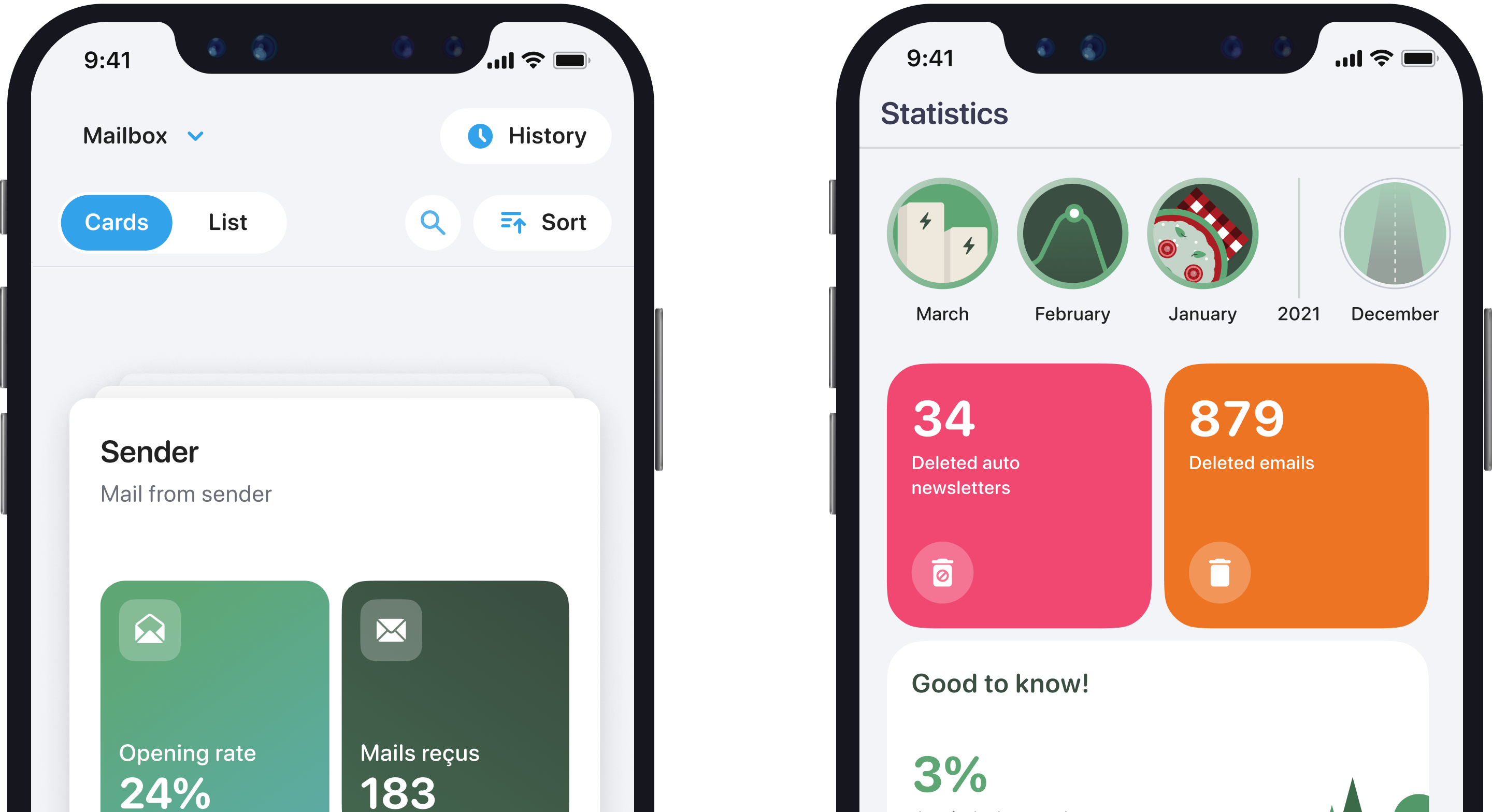
Cleanfox- Free Email Cleanup Tool to Banish Unwanted Newsletters Forever | Email Management
Introduction
Is your inbox drowning in a sea of newsletters, promotional emails, and unwanted subscriptions? You’re not alone. The average professional receives 121 emails per day, with nearly 50% being unwanted subscriptions. Enter Cleanfox, your free solution to inbox overwhelm and digital clutter. This powerful tool helps you reclaim control of your inbox while contributing to environmental sustainability.
Understanding Cleanfox
What is Cleanfox?
Cleanfox is a free, intelligent email management tool designed to help you declutter your inbox effortlessly. Unlike traditional email filters, Cleanfox uses smart algorithms to identify, categorize, and manage your subscriptions while providing one-click unsubscribe capabilities.
How it Works
The platform operates through a simple yet powerful process:
- Intelligent scanning of your inbox
- Automatic categorization of newsletters and subscriptions
- Secure unsubscribe options
- Bulk deletion capabilities
Key Features and Benefits
Core Functionalities
One-Click Unsubscribe
- Instant unsubscription from unwanted newsletters
- Bulk unsubscribe options
- Confirmation tracking
Smart Management
- Automated newsletter detection
- Subscription categorization
- Priority-based sorting
Bulk Operations
- Mass delete capabilities
- Category-based cleanup
- Historical email management
Universal Compatibility
Cleanfox works seamlessly with major email providers:
- Gmail
- Hotmail
- Yahoo
- GMX
- Orange Android Mail
- Apple Mail
- And many more
Multi-language Support
Available in multiple languages:
- English
- German
- French
- Additional languages being added regularly
Getting Started with Cleanfox
Step-by-Step Setup Guide
Initial Setup
- Visit the Cleanfox website
- Create your free account
- Connect your email provider
First Scan
- Allow initial inbox analysis
- Review categorized subscriptions
- Select cleanup preferences
Cleanup Process
- Choose newsletters to unsubscribe from
- Select emails for deletion
- Confirm actions
Safety Measures
Cleanfox prioritizes your security through:
- End-to-end encryption
- Secure authentication protocols
- Regular security audits
- GDPR compliance
Making the Most of Cleanfox
Best Practices
Optimize your email management with these tips:
- Schedule regular cleanup sessions
- Review subscription categories monthly
- Use bulk actions for efficiency
- Enable notification settings
Advanced Features
Maximize efficiency with:
- Custom filtering rules
- Automated cleanup schedules
- Priority inbox settings
- Analytics and insights
Environmental Impact
Digital Carbon Footprint
Every email stored contributes to digital pollution:
- One email = 10g of CO2 per year
- Newsletters account for 20% of email carbon footprint
- Cleanfox helps reduce digital waste
Sustainability Benefits
Using Cleanfox contributes to environmental protection:
- Reduced server energy consumption
- Lower carbon emissions
- Decreased digital storage needs
User Success Stories
Real-world Examples
“Thanks to Cleanfox, I reduced my inbox from 10,000+ emails to just 500 important ones in one afternoon!” - Sarah M.
“I’ve unsubscribed from over 200 newsletters and saved countless hours of email management.” - John D.
Statistics and Results
Impressive numbers from Cleanfox users:
- Average user deletes 5,000+ unnecessary emails
- Typical time savings: 2-3 hours per month
- 90% reduction in unwanted newsletters
Frequently Asked Questions (FAQs)
Is Cleanfox really free?
Yes, Cleanfox is completely free to use with all major features included.
Is it safe to give Cleanfox access to my email?
Cleanfox uses secure authentication protocols and never stores your email passwords.
How long does the cleanup process take?
Initial cleanup typically takes 15-30 minutes, with maintenance requiring just minutes monthly.
Tips for Maximum Efficiency
Optimize Your Experience
Regular Maintenance
- Schedule monthly cleanups
- Review new subscriptions promptly
- Monitor cleanup statistics
Smart Categories
- Use category filters effectively
- Create custom rules
- Prioritize high-volume senders
Conclusion
Cleanfox stands as the ultimate solution for email management, offering a perfect blend of efficiency, security, and environmental consciousness. With its user-friendly interface, powerful features, and commitment to sustainability, it’s the ideal tool for anyone looking to regain control of their inbox.
Take Action Today
Ready to transform your inbox? Follow these steps:
- Visit Cleanfox.io
- Create your free account
- Start your journey to a cleaner inbox
Additional Resources
- Visit our Help Centerfor detailed guides
- Follow our blog for email management tips
- Join our community for support and advice
This comprehensive guide to Cleanfox demonstrates how this powerful tool can revolutionize your email management while contributing to environmental sustainability. Ready to experience the benefits of a clean inbox? Start using Cleanfox today!
Remember to maintain regular cleanup sessions for optimal results. Your organized, efficient inbox awaits!
